Periods
The Periods step allows you to define Period Sets, which are made up of individual Periods. Details on Period Sets and Periods are provided below.
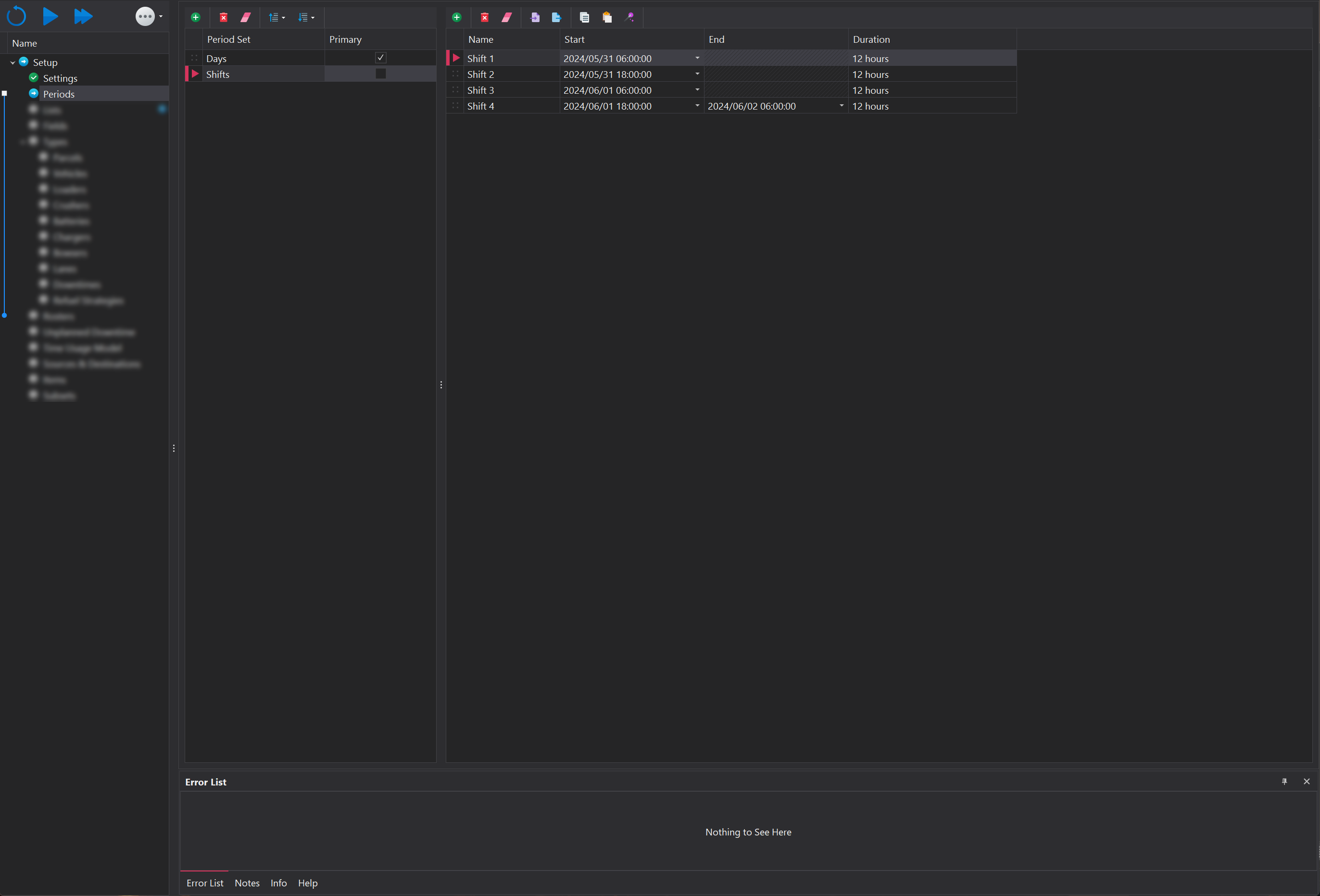
Period Set
A Period Set contains time intervals, or periods, that represents a specific time structure, such as a Period Set for days (24-hour intervals) and another for shifts (12-hour intervals). In reporting, you can generate data based on a selected Period Set.
Period Sets can be managed using the toolbar at the top of the panel. More information on the functions within the toolbar can be found in the Common User Controls page. Each Period Set has the following properties:
| Property | Description |
|---|---|
| Name | The name of the Period Set. The name should ideally reflect the time structure it represents, such as Daily, Shiftly, etc. |
| Primary | A boolean flag that indicates which Period Set will be used as the default for downstream functionality. |
All Period Sets must have matching start and end datetimes. Failing to meet this requirement will result in an error that blocks progression to the next setup step.
Period
A period represents a bucket of time and can range from seconds to hours, days, months, and even years, and can be mixed to accommodate varying durations. The first and last periods specified in the set are used to determine the total time span.
Periods within the selected period set can be managed through the toolbar located at the top of the page. More information on the functions within the toolbar can be found in the Common User Controls page.
| Property | Description |
|---|---|
| Name | The name of the Period. The name should ideally reflect the time structure it represents, such as Day 1, Shift 1, etc. |
| Start | The start datetime of the Period. Clicking in the cell displays a calendar for the date, while the time can be entered manually. |
| End | The end datetime of the Period Set. All entries except the last one will be greyed out. |
| Duration | The duration of the Period, calculated as the time span between the start times of consecutive Periods. |
Period Wizard
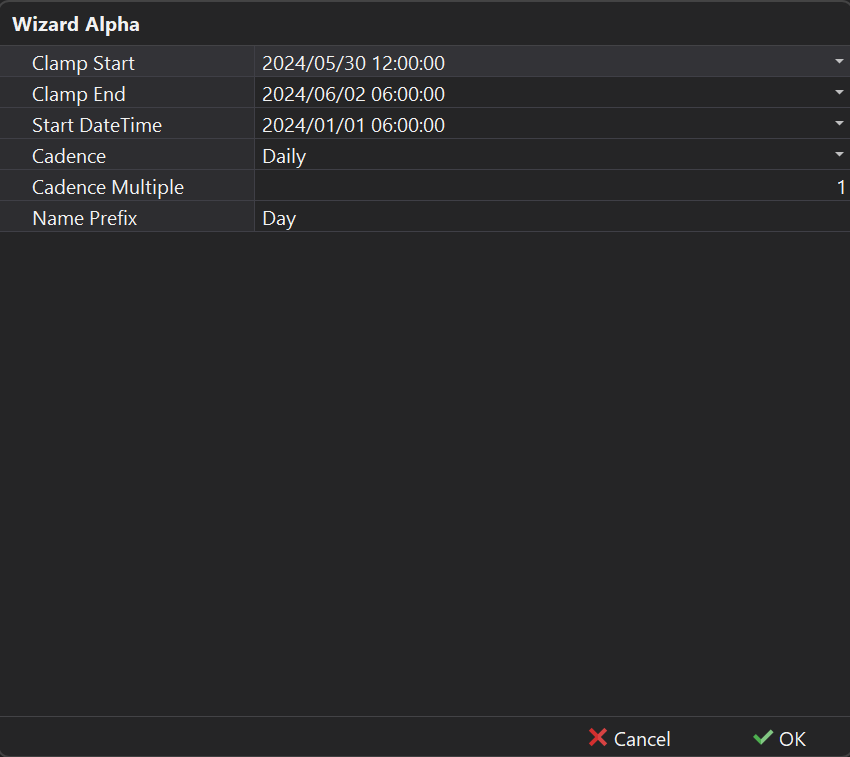
In addition to the manual creation of periods, a period wizard exists which helps automatically create periods that follow a standard candence. The Wizard can be launched by clicking the wand 🪄 icon in the tool bar.
| Property | Description |
|---|---|
| Start DateTime | The initial date and time when the period begins. This is the starting point for calculating the intervals within the period set. |
| Clamp Start | Clamps the start time to a specified datetime, overriding the original Start DateTime value. |
| Clamp End | Clamps the end time to a specified datetime, overriding the calculated end time based on the period's cadence. |
| Cadence | The frequency or interval at which the periods repeat, such as daily, weekly, or monthly. |
| Cadence Multiple | A multiplier applied to the cadence, allowing for custom intervals (e.g., twice a day, every third month). |
| Name Prefix | A custom prefix added to the name of each period in the set for easier identification and organization. |